
When to Use AI vs. Search: A Smarter Guide for Content Marketers

We talk a lot about optimizing workflows with AI, but here’s something we don’t talk about enough: when not to use AI.
Yep. I said it.
During a recent AI in Your BackPocket session, our team hit pause on the usual demos during our monthly meetups. Instead, we had a refreshingly honest (and funny, even slightly ranty) conversation about when it actually makes sense to fire up ChatGPT — and when you might just be better off typing your question into good old-fashioned Google. Spoiler: Sometimes your instincts to stay analog aren’t so wrong.
Here’s what we learned and why it might be time to build some new habits into your workflow.
Efficiency vs. Energy Use: The Ethical Side of AI
Let’s start with the big picture. AI tools like ChatGPT require massive energy to run — especially for queries that could’ve been answered with a quick search. One recent Washington Post article noted the environmental toll of large language models, which got me thinking: Am I firing off prompts just because it’s convenient? Or am I being mindful of how and when to use the right tool for the task?
Build a Workflow That Respects Your Brain and the Planet
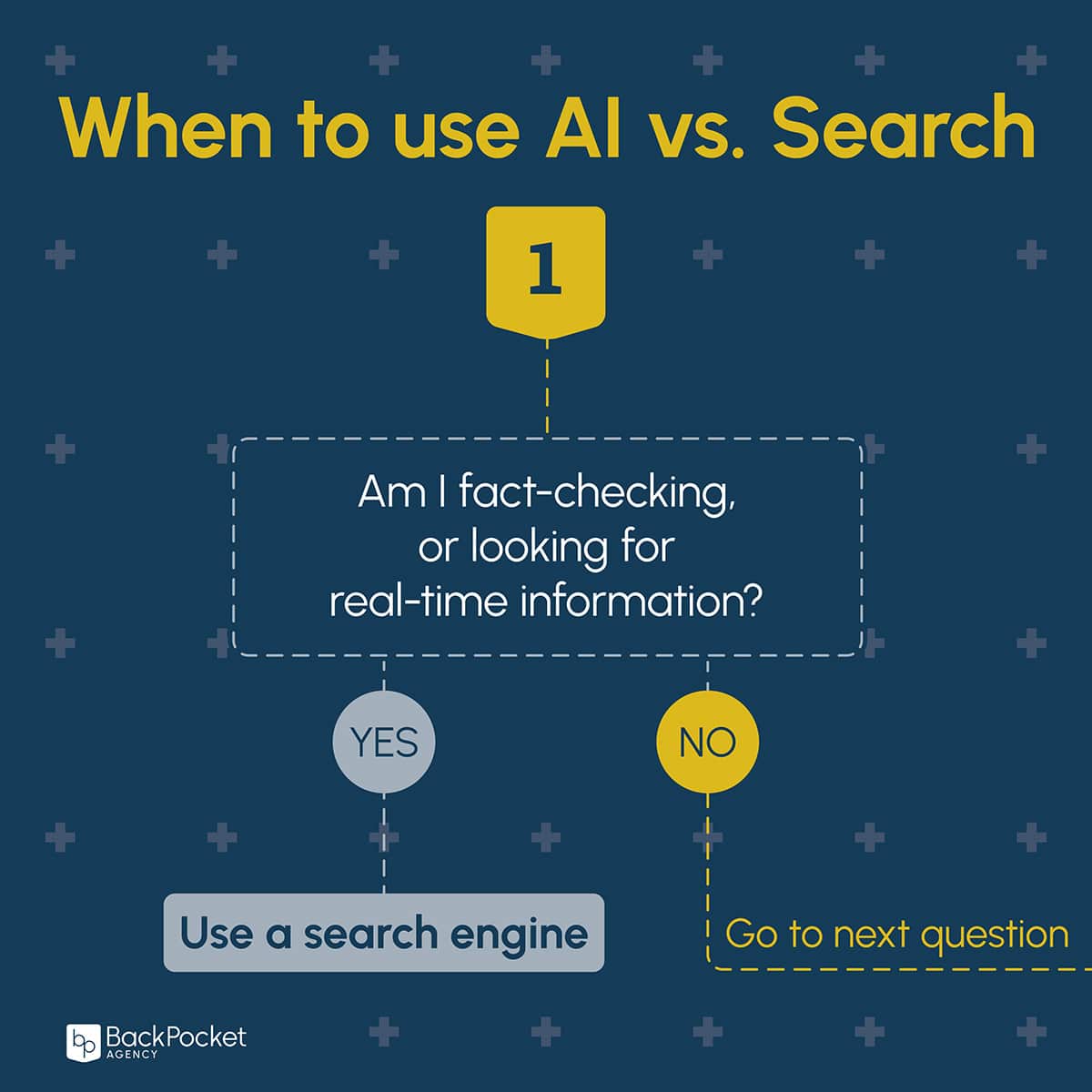
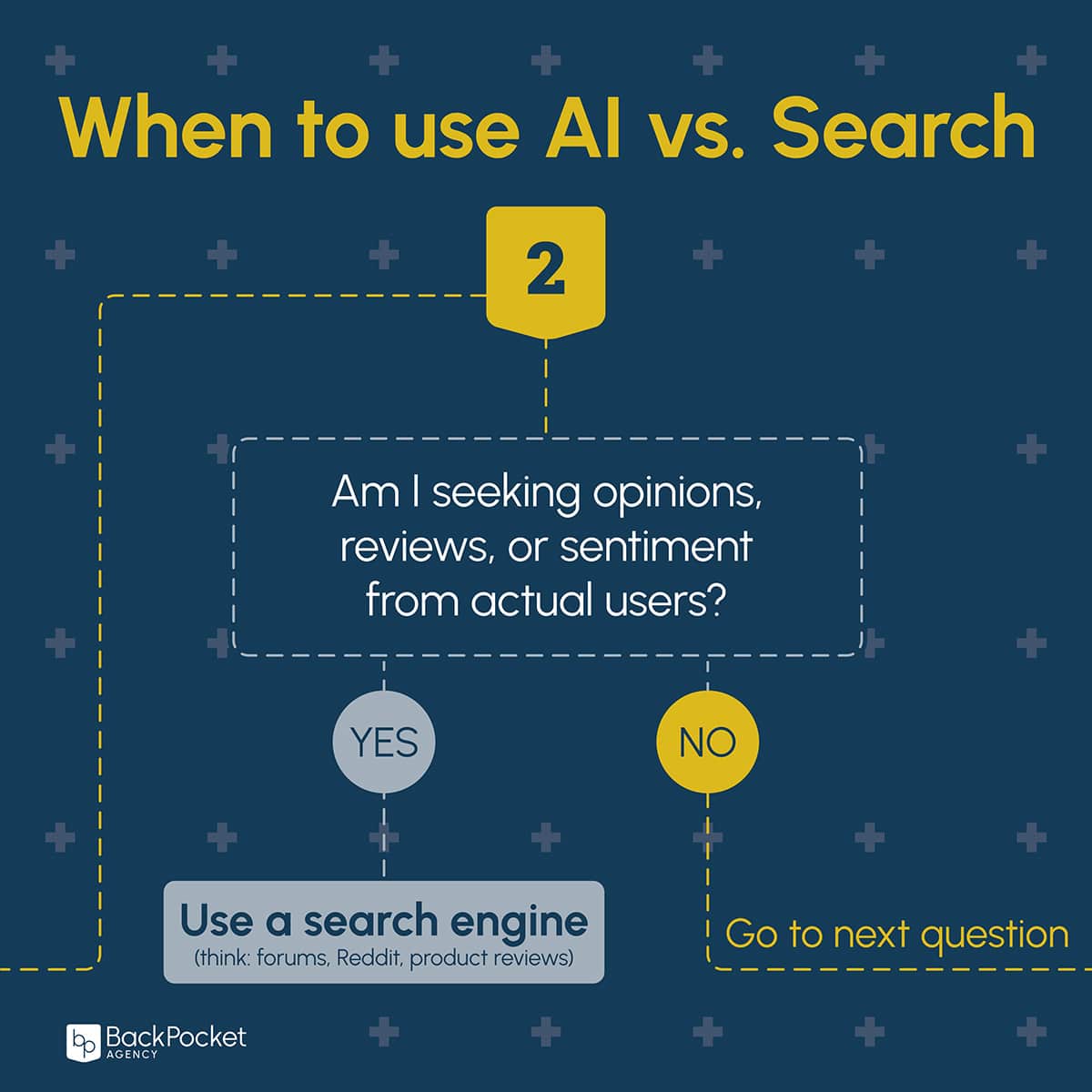
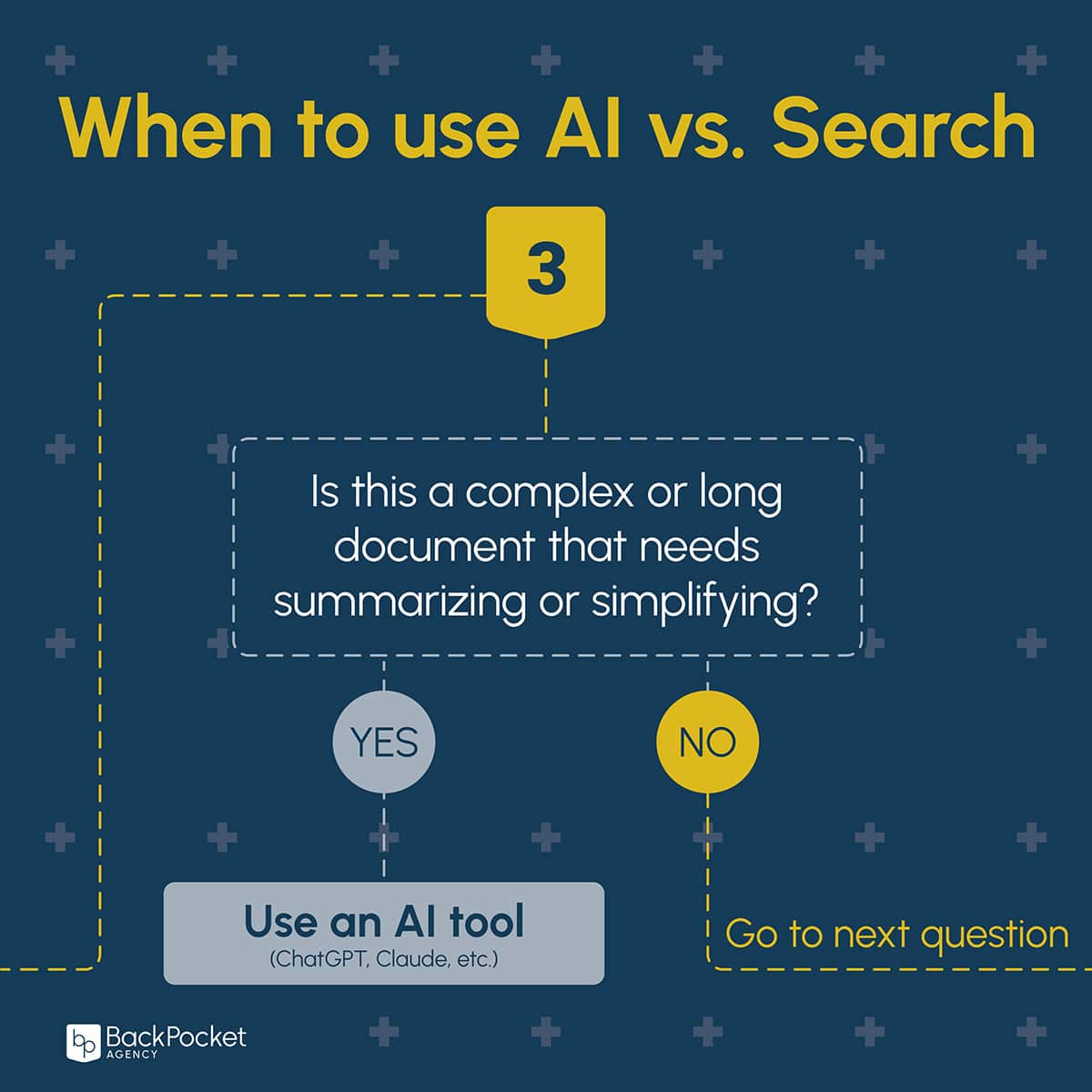
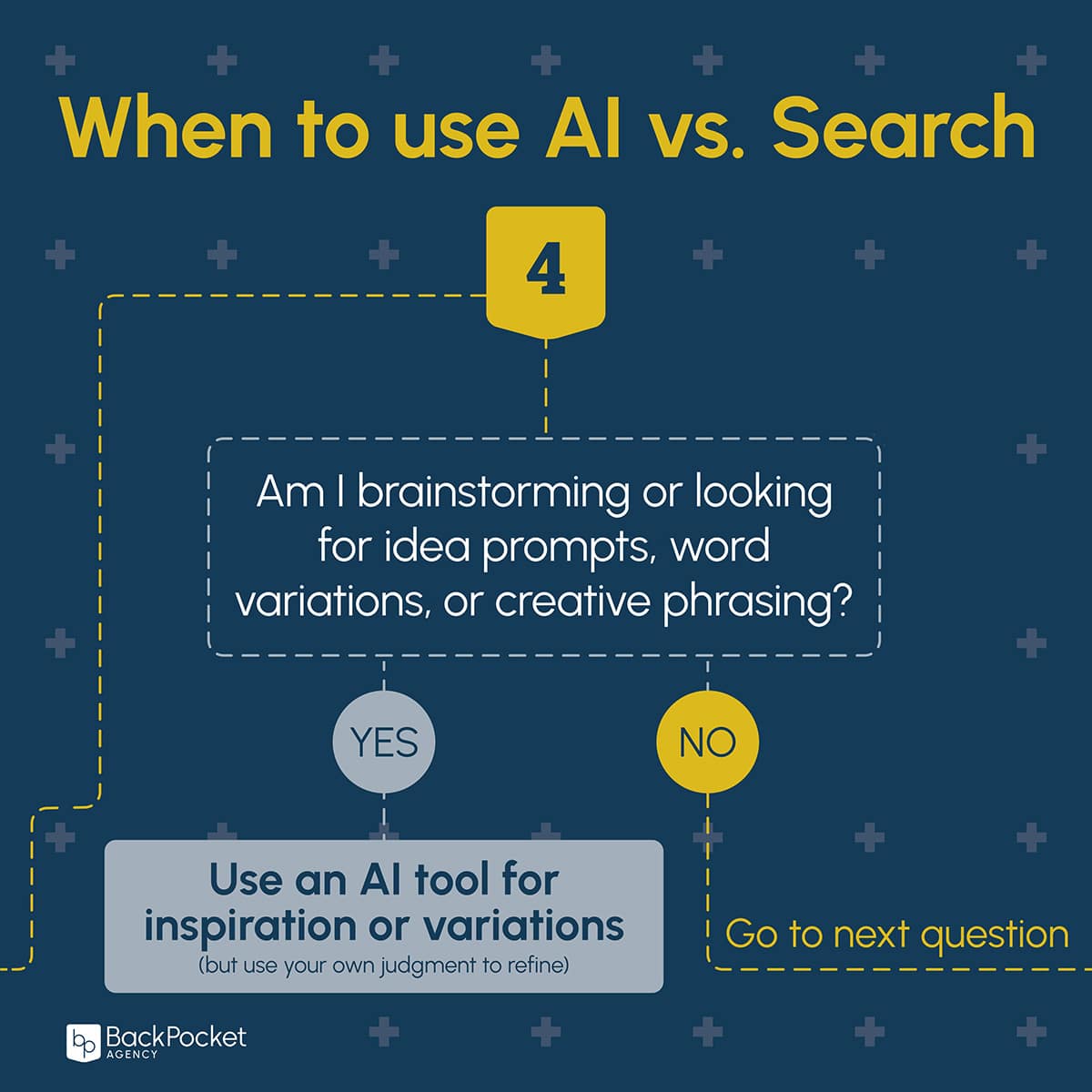
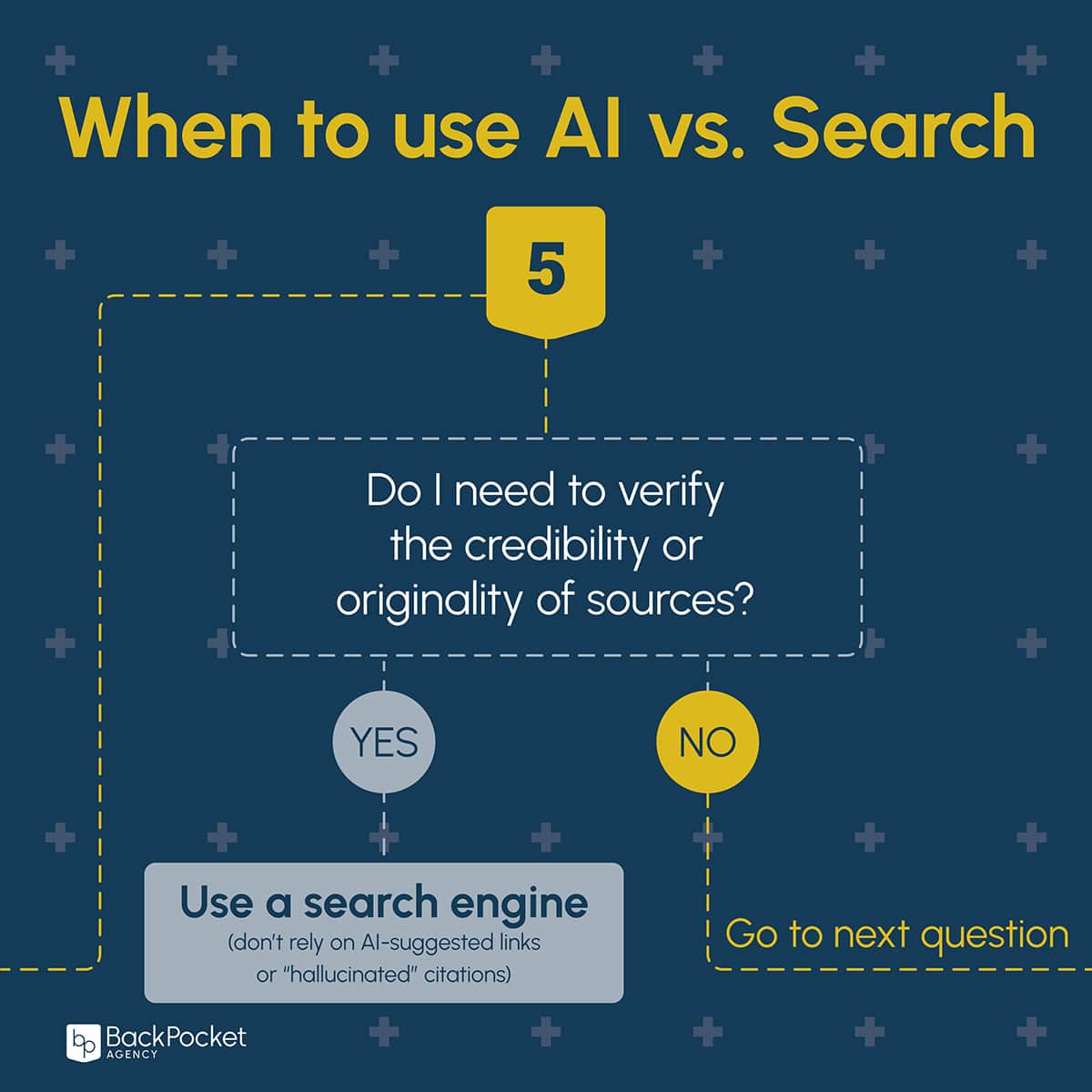
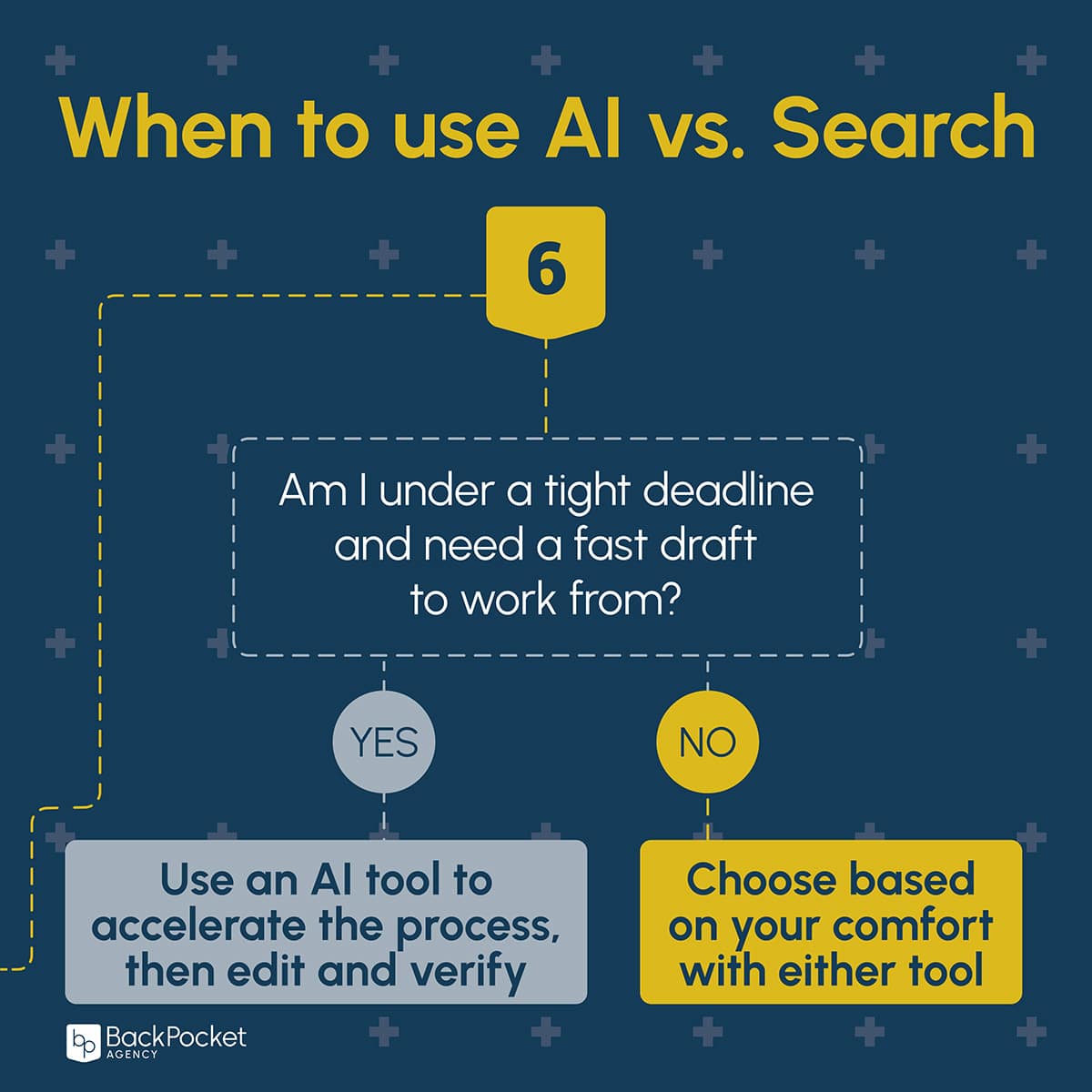
Being an effective marketer today isn’t just about speed. It’s about choosing the right tool for the job, asking better questions, and being mindful of your digital footprint along the way. So at BackPocket, we’ve developed a Search vs. AI Decision process to help guide our content teams through this process. Click on image to view gallery.
When to Use Search
Our team agrees: Search is still the go-to source for fact-checking, real-time updates, keyword research, and reviews.
Here are some real-life situations when Search > AI:
- Verifying information or citations
- Getting up-to-date stats or breaking news
- Checking how real people talk about something (hello, Reddit and forums)
- Reading direct product comparisons or reviews
As Maggie Callahan, director of content strategy, put it: “With AI, you can end up on a source that’s quoting a source that’s quoting yet another source … sometimes one from 2003. Other times, AI has hallucinated entirely, and the ‘original source’ never existed.” Trust your gut. Search is often faster and more reliable for research-heavy tasks.
When AI Actually Makes Sense
On the flip side, AI can be a lifesaver, especially when the task is labor-intensive, formatting-heavy, or requires brainstorming.
Great use cases we shared:
- Summarizing long transcripts or reports
- Rewriting complex scientific language into accessible copy
- Generating headline or social post variations
- Speeding up formatting and cleanup of raw content
- Giving your brain a nudge when you’re stuck (think: synonyms and filler ideas)
One very practical example of AI use shared during our monthly session is from Matt Schur, senior content manager, who says he references ChatGPT from time to time for headline inspiration. In reality, almost all of the results “are appalling — tonally off, way too long, robotic or stilted,” he explains. “But there’s usually a kernel of a good idea in ChatGPT’s mix, which can be a springboard for finding the headline I ultimately run with.”
“One of the publications I oversee likes to have fun with headlines in a newsy section of the magazine,” Schur says. “A recent issue featured stories about older generations smoking weed in greater numbers and decreasing mental health conditions among moms, with respective headlines of ‘Chronic Development’ and ‘The Mother Load.’ In the first example, for instance, ChatGPT suggested using the word “chronic,” which helped me land on the final headline.
Tips for Smart AI Usage in Search
If you’re using AI search assistants like Google’s AI Overviews or Perplexity, remember:
- AI overviews summarize, but may skip nuance. If you’re writing for a professional audience, you’ll still want to verify details.
- Always double-check links. AI results can add clunky tracking code or even generate URLs that don’t exist.
- When in doubt, layer it up. Use AI for simple first drafts or summaries, but always bring in human judgment to refine.
Need help developing your own AI–Search workflow?
Let’s talk. We’re helping content teams think through these decisions every day, and we’d love to help you, too.
Related Article: How to Use AI Ethically for Content Creation

Stop the AI Slop: Why Human-Centered Content Needs to Make a Comeback
There’s more content than ever … and much less worth reading. Every day, more than 7 million new blog posts…

When to Use AI vs. Search: A Smarter Guide for Content Marketers
We talk a lot about optimizing workflows with AI, but here’s something we don’t talk about enough: when not to…

How Editorial, Design, and Analytics Teams Are Supercharging Their Workflows with AI
If you’ve been tiptoeing around the idea of incorporating AI into your content marketing workflows, consider this your gentle nudge…

Reduce, Reuse, Re-Prompt: How Building a Prompt Library Creates a Greener AI Workflow
At BackPocket, we believe the best way to navigate new tech is together. That’s why our team gathers every month…

The Wild West of Content Optimization: Why I’m All in on AEO and GEO
Over the last six months, I’ve found myself deep in what feels like the wild, wild west of content optimization:…

How to Use AI to Build Smarter Audience Personas in Minutes (Not Days)
As content strategists, we all know the value of audience personas — those detailed profiles that help bring your target…

How to Build a Custom Editorial Chatbot in 4 Easy Steps
You’re deep into your workday, juggling meetings, content reviews, and deadlines when a writer pings you with a question about…